
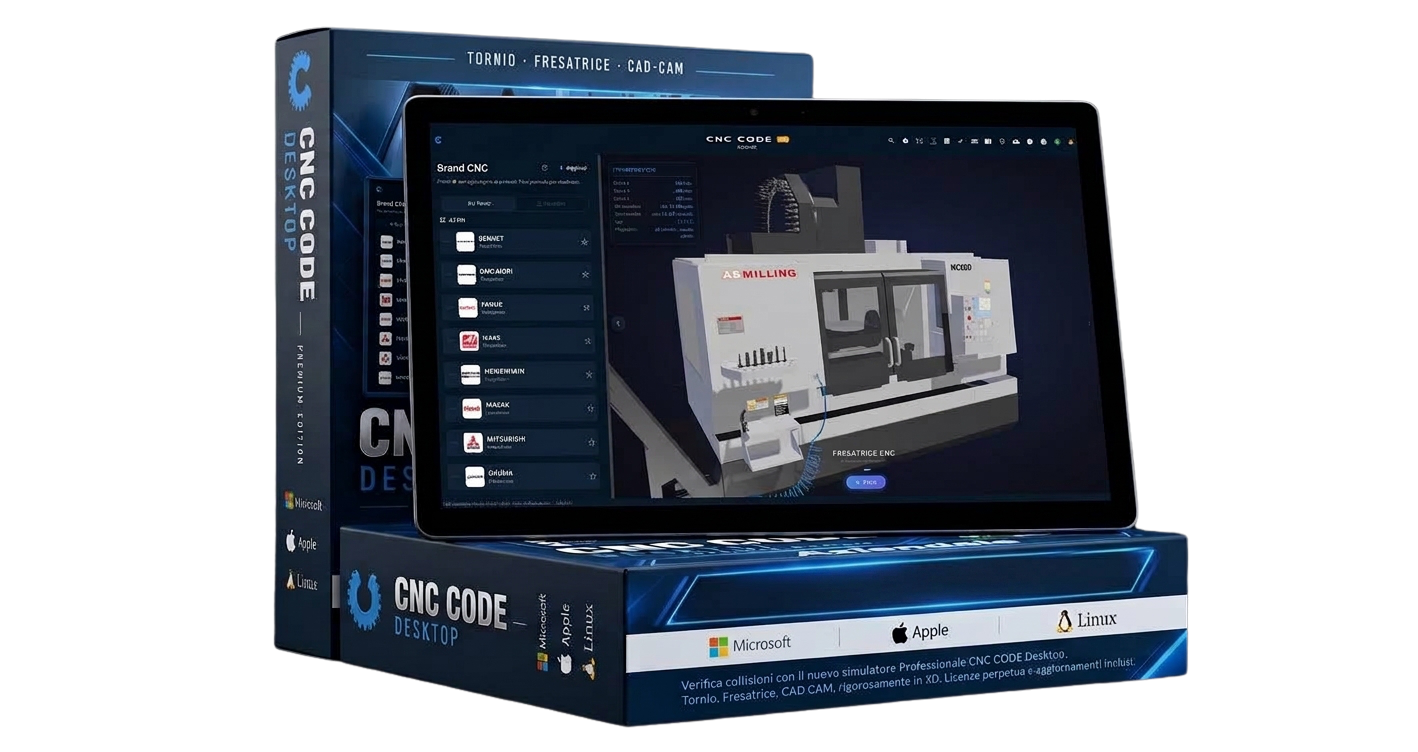
 Android
 iOS
iOSCNC Code Tablet
All of CNC CODE Mobile on the big tablet screen: more room for the code, for the panel keys and for the simulation. 2-channel lathe and mill, G-code editor and G/M codes from 9 brands. Annual subscription, updates included.
Seats
How many devices you will use the license on
The seats share a single license. The 12-month validity starts from the purchase date and covers all seats, no matter when you activate them.
SKU: CNC-PRV-TAB
Instant Download
Receive the software immediately after purchase
Official License
Original and guaranteed product
Technical Support
Dedicated assistance included
Updates
Free updates during the license period
Product Description
CNC Code Tablet is CNC CODE Mobile designed for the tablet screen: more program lines in view, bigger panel keys, the simulation right next to the code. It’s the right tool for the workshop bench, for a classroom lesson or for studying calmly at home — on Android tablets and iPad.
The CNC panel, full screen
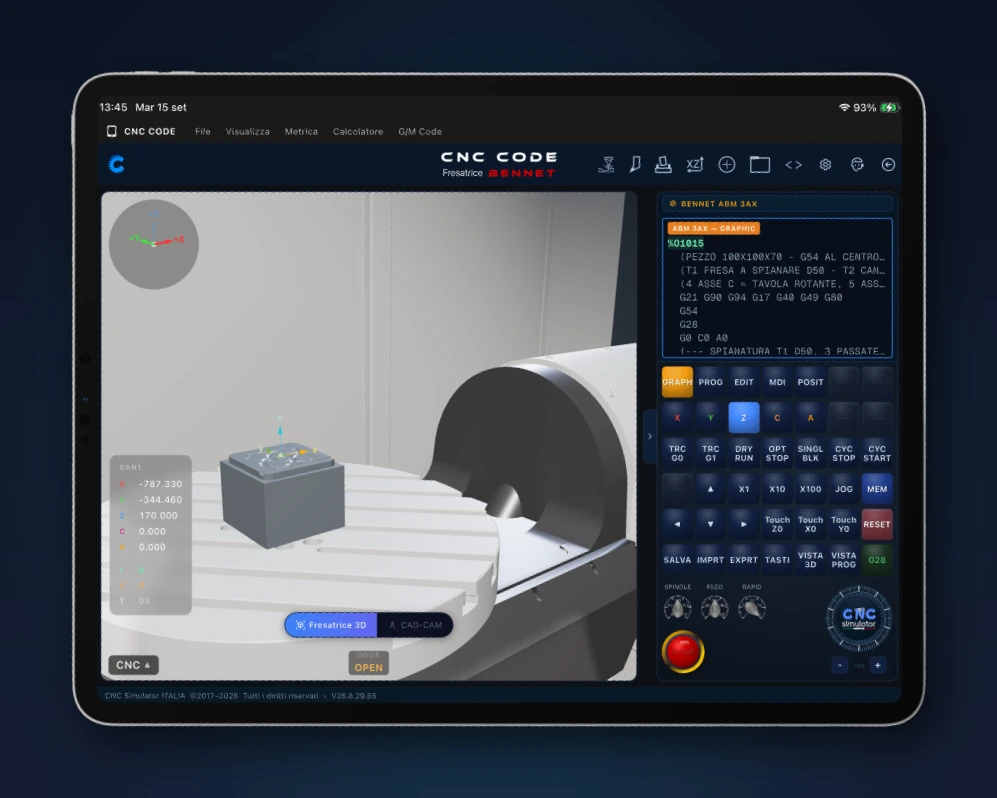
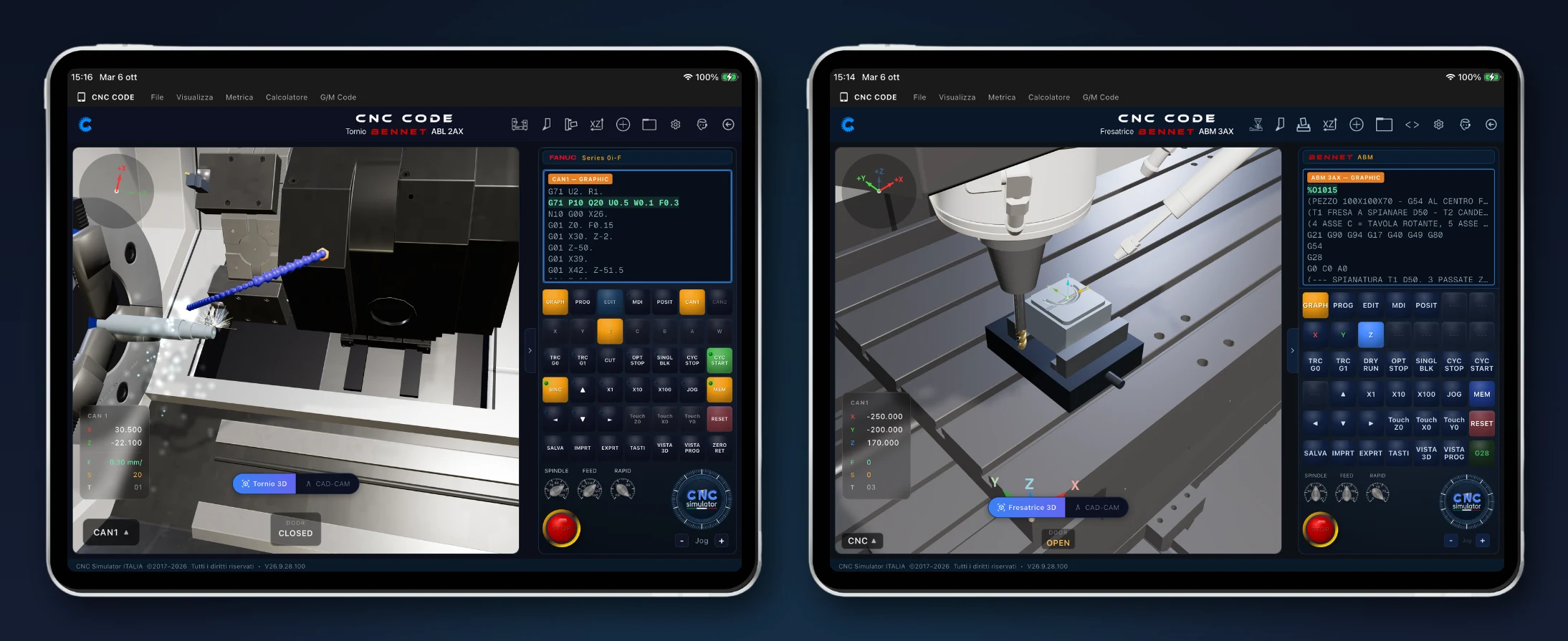
3D simulation on the left, program and panel on the right: GRAPH, PROG, EDIT and MDI keys, JOG, overrides and CYCLE START, just like at the machine. In the picture, the Bennet milling machine with rotary table running the sample program.
Lathe and mill in 3D, chips flying
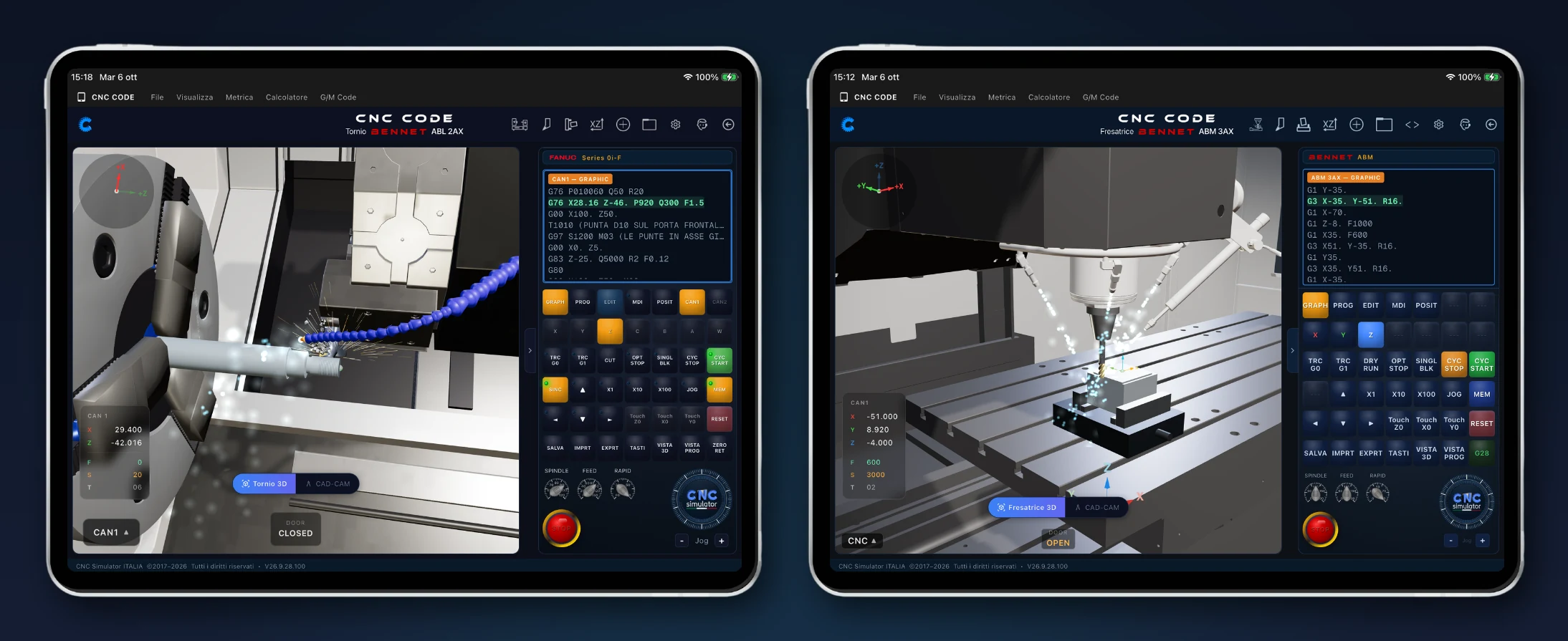
The Bennet ABL lathe threading and the Bennet ABM mill contouring, coolant on: see the toolpath, the chips and the coordinates in real time, before you go to the machine.
CAD-CAM: draw the part and see it in 3D
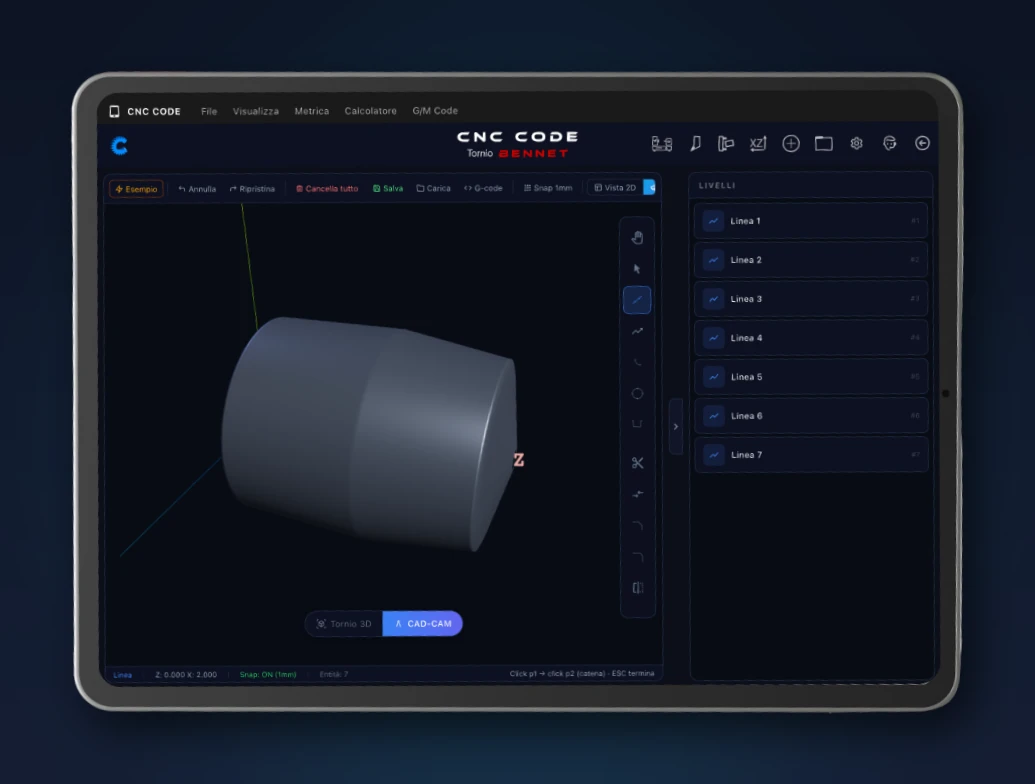
Draw the part profile in layers, check it in 3D and generate the G-code with the built-in CAD-CAM: from drawing to program without leaving the app.
Pick the machine you find on the shop floor
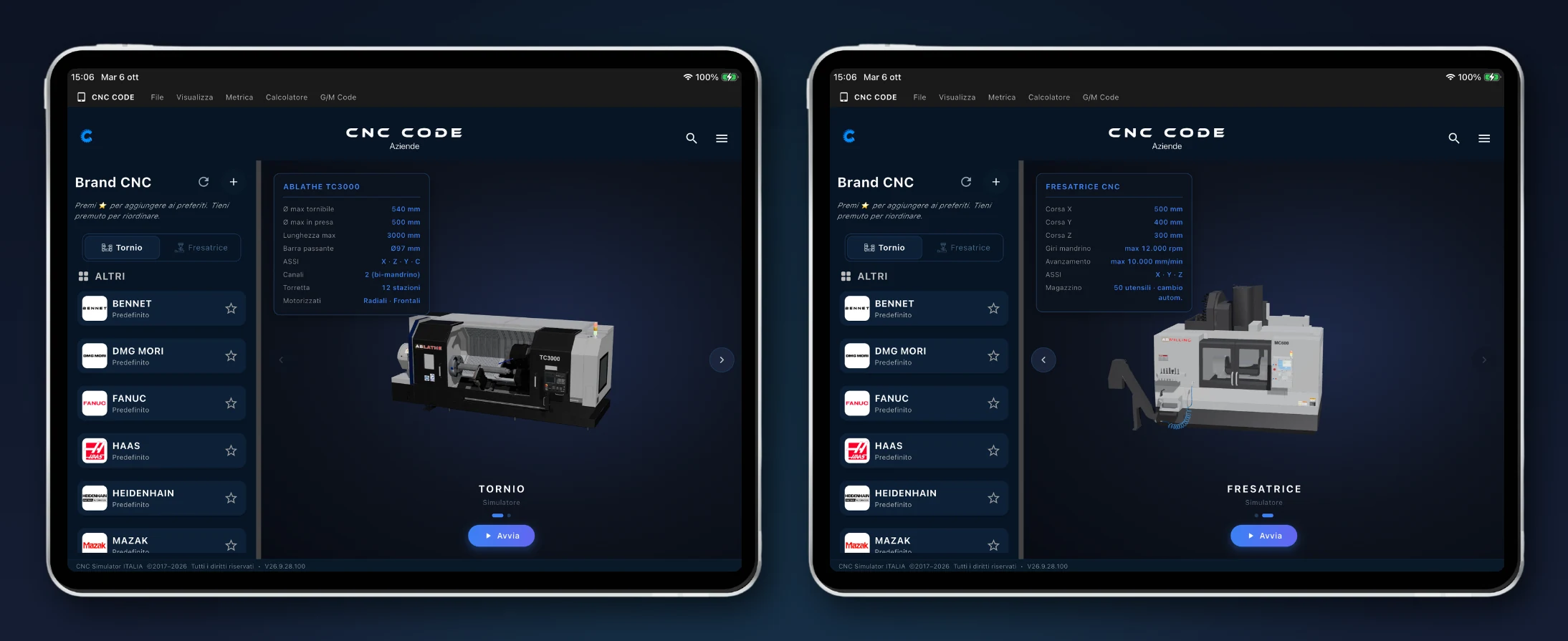
9 brands: Fanuc, Siemens, Heidenhain, Haas, Mazak, Okuma, Mitsubishi, DMG Mori and Bennet, each with its own controls (for Fanuc, from Series 0i to 31i-B)
G and M codes explained one by one, with ready-to-copy examples: positioning, cycles, spindle, live tools
Add the controls you use to your favorites and reorder them however you like
Program like you’re at the machine, with more room
Two-channel G-code editor with the on-screen CNC keypad: on the tablet the keys are as big as on the real panel
Automatic wizard: set up the machine step by step and it writes the program for you — or start from scratch by hand
Saved programs always at hand, reloaded with a single tap
Export to .NC files: channel 1, channel 2 or both, ready to take to the machine
Set up the machine, then hit CYCLE START
Workpiece: solid bar or tube, dimensions, material (steel, stainless, titanium, plastic, wood), tailstock or sub-spindle
Tool table with roughing, finishing, threading and turning tools, each in its own position
G54–G59 offsets to fill in just like on the real control
2-channel lathe and mill, with a 3D view of the machining
The tools of the trade, always with you
Calculate cutting parameters and feed rates
Tolerances for holes and shafts, threads, unit converter
App in 10 languages, from Italian to Brazilian Portuguese
Try it first, then choose your year
Download it and use it free for 10 days, with everything unlocked. If it works for you, activate the annual subscription: one year of CNC Code Tablet with updates included. To equip a whole workshop there’s a multi-licence for schools: ask us for a quote.
Image Gallery
Have questions about this product?
Our team is available to help you choose the best solution for your needs.